Sep 27, 2025
From Obsidian to Published: Running n8n Locally with Docker Volumes
How to turn an Obsidian note into a published Next.js blog post using n8n running locally with Docker volumes, LLM agents, and file-based workflows.
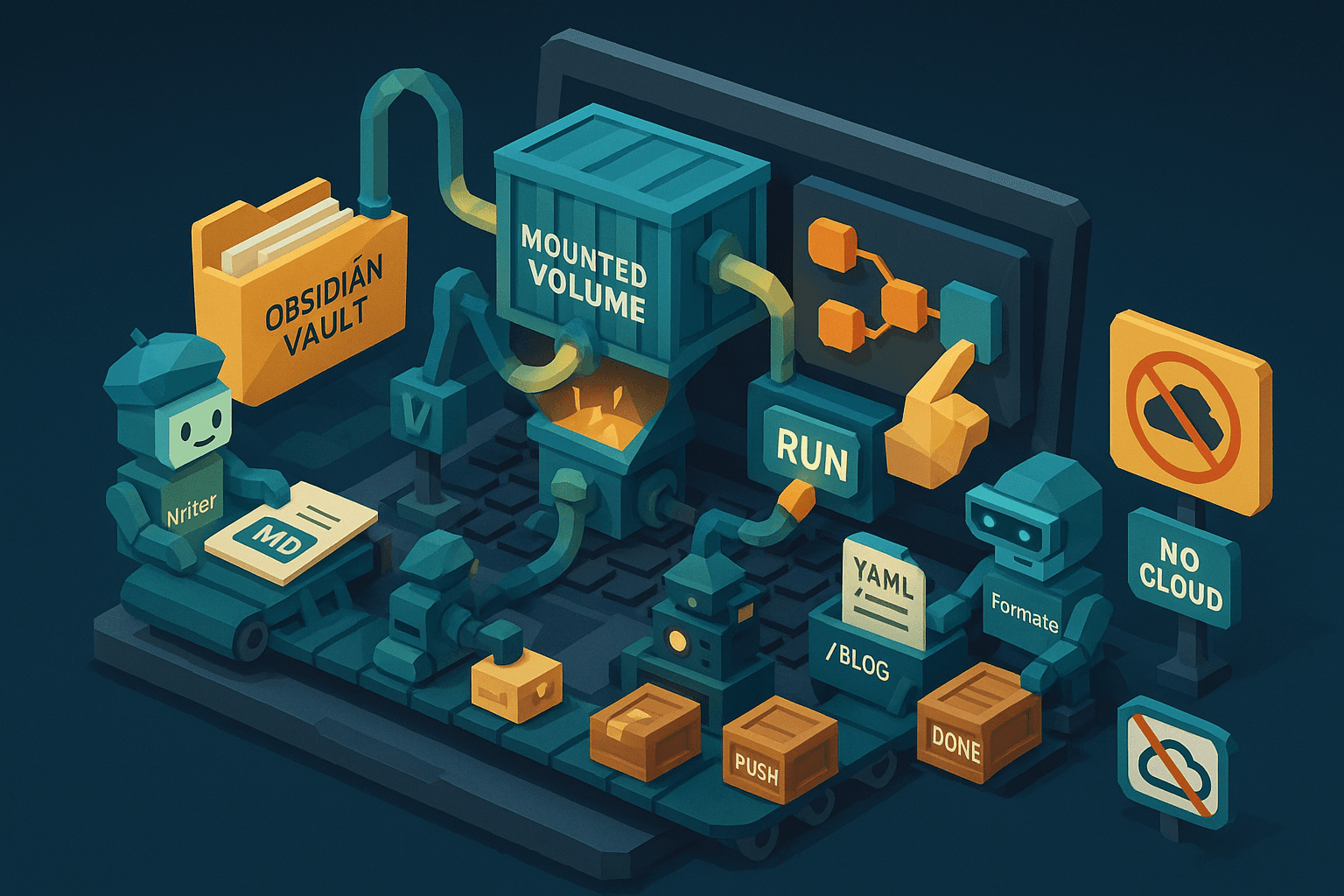
From Obsidian note to published blog post, all I needed was n8n running locally with Docker and a few well chosen nodes. Once I had that, the rest felt like connecting pipes.
Why run n8n locally at all?
Because the most interesting workflows touch your actual files. You want to read from your Obsidian vault, process the text, save the result into your Next.js project, then kick out an image next to it. That is hard or impossible if n8n is running in the cloud with no access to your disk. Local Docker fixes that.
The mental model that unlocked it for me was Docker volumes.
When you mount a host folder into the container, n8n can see that folder like it lives inside the app. Now you can pick off files from your system, process them inside n8n, and write the outputs back to specific places. Reading and writing like this is the whole game.
With that in mind, I built a simple workflow.
I click a button, it grabs a Markdown file from my Obsidian vault, turns it into a clean text prompt, hands it to an LLM to outline, hands that outline to another LLM to write a full post, then splits into two paths. One path generates an image. The other formats the post with front matter and saves a Markdown file into my blog directory. Start with a note in Obsidian, end with a blog post and a matching image.
The key nodes in n8n were straightforward:
- Read write files from disk, so I can load and save local files.
- Extract from file, to pull clean text out of the Markdown file.
- Convert to file, to turn generated text and images back into files on disk.
Here is how the flow plays out.
First, I hard code a path to an Obsidian note.
Nothing fancy. I just point the Read write files node at a Markdown file in my vault. Then I run Extract from file to get the raw text. That text goes to an API agent that turns scattered thoughts into a blog post outline. Think of it like a friendly editor who reads your brainstorm and hands you bullet points in a sensible order.
Next, I pass that outline to a second agent that writes the actual essay.
The magic here is a very specific system prompt. It pushes the model to write natural, readable prose. I try to keep the writer focused only on writing, not formatting. Formatting comes later, which keeps the voice cleaner.
After the essay is written, the workflow splits.
On path one, the written essay feeds an agent that writes an image prompt.
It reads the essay, proposes the concept for a header image, and outputs a prompt for an image model. Next node generates the image. Then Convert to file and Read write files save the image to a folder my React or Next.js app already serves. My site sees any new files in that directory, so the image is ready the next time I commit and deploy.
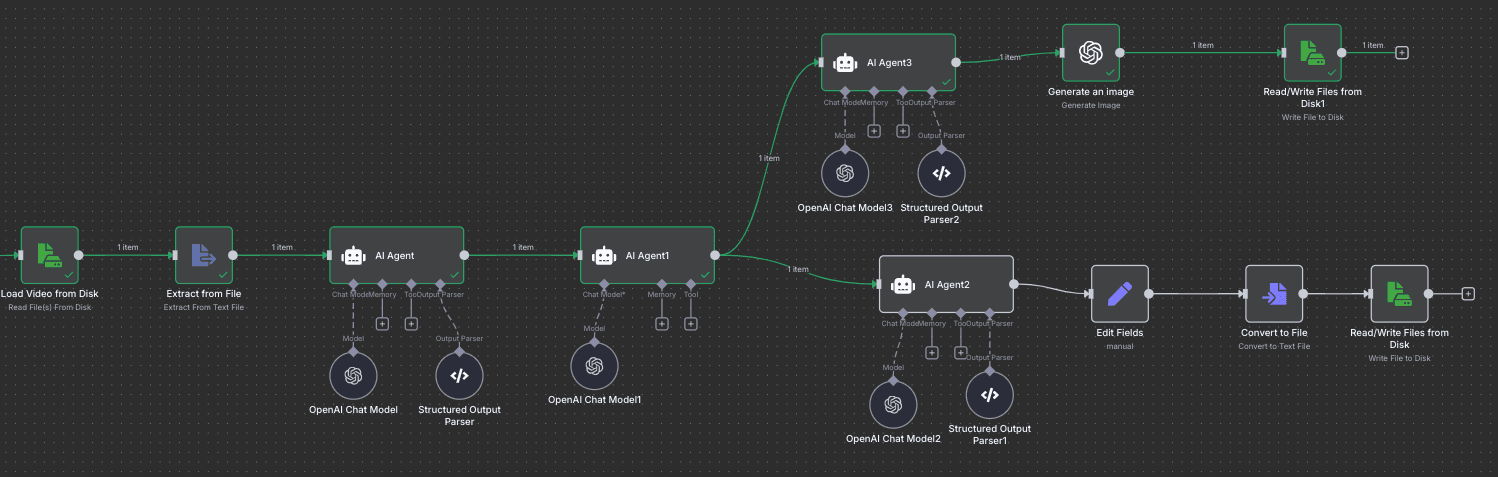
On path two, the essay goes to a formatting agent.
This one creates front matter in YAML, adds tags or categories, and applies basic Markdown. Headings, bold, the small things that make a post easy to read. I like this separation, the writer writes, the formatter formats. Then Convert to file wraps it as a Markdown file, and Read write files drops it straight into the blog directory of my Next.js project. Now the repo has a new post, ready to publish with a standard git push.
A few lessons fell out of this setup.
- Volumes are the lever. Once you can read from your vault and write to your project directory, local automation gets powerful.
- Keep the writer and the formatter separate. The prose gets better when the model is not juggling both jobs.
- Hard coding a path is fine at first. Later you can add inputs, file pickers, or watchers if you want something fancier.
- Saving outputs exactly where your app expects them is the quiet win. No manual copy paste, no renaming, no drift.
Could you build this in the cloud?
In theory yes, in practice the file access is the blocker. Local Docker makes it smooth. You are not fighting with uploads, permissions, or temporary storage. You are just reading and writing files like any other app.
The result is a pleasant loop.
Capture ideas in Obsidian. Click a button in n8n. Get a clean blog post and a matching image in your project. Commit, push, done. It feels like a small factory for ideas, and it runs right on your machine.